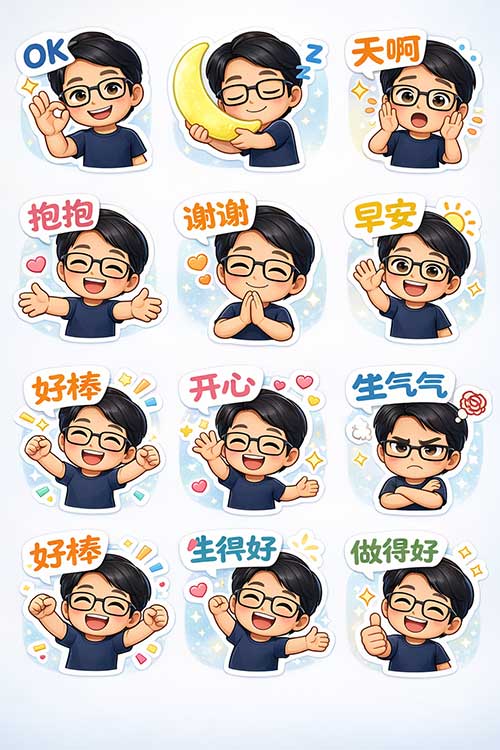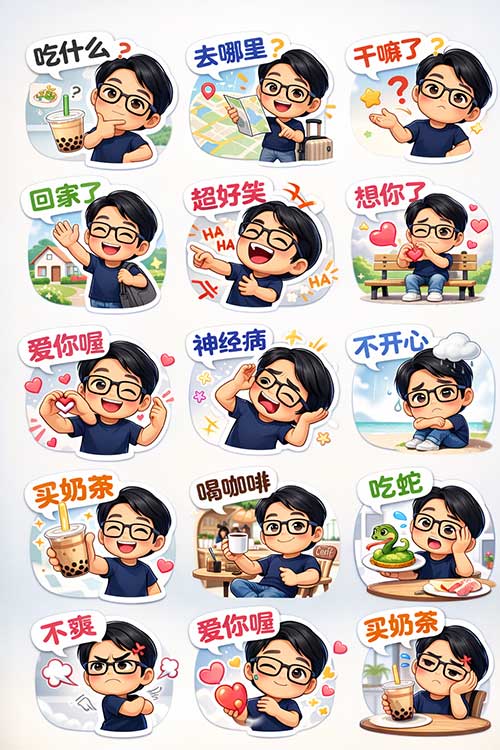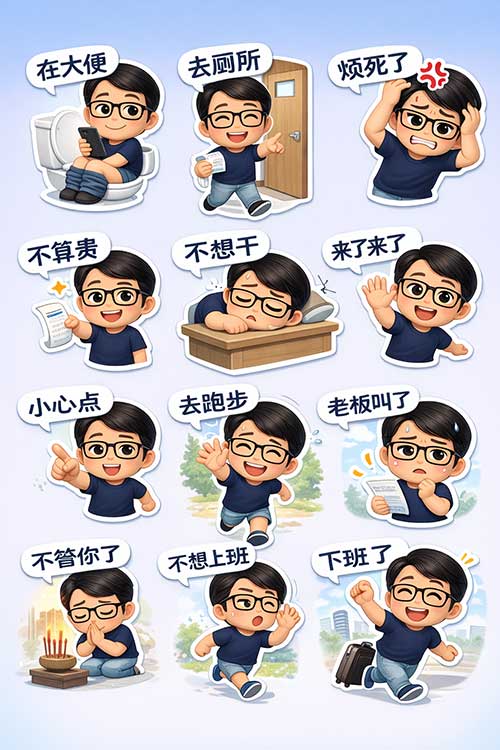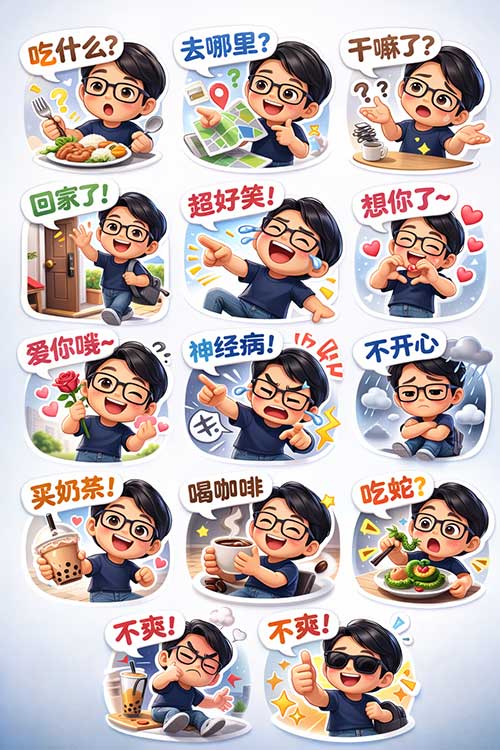

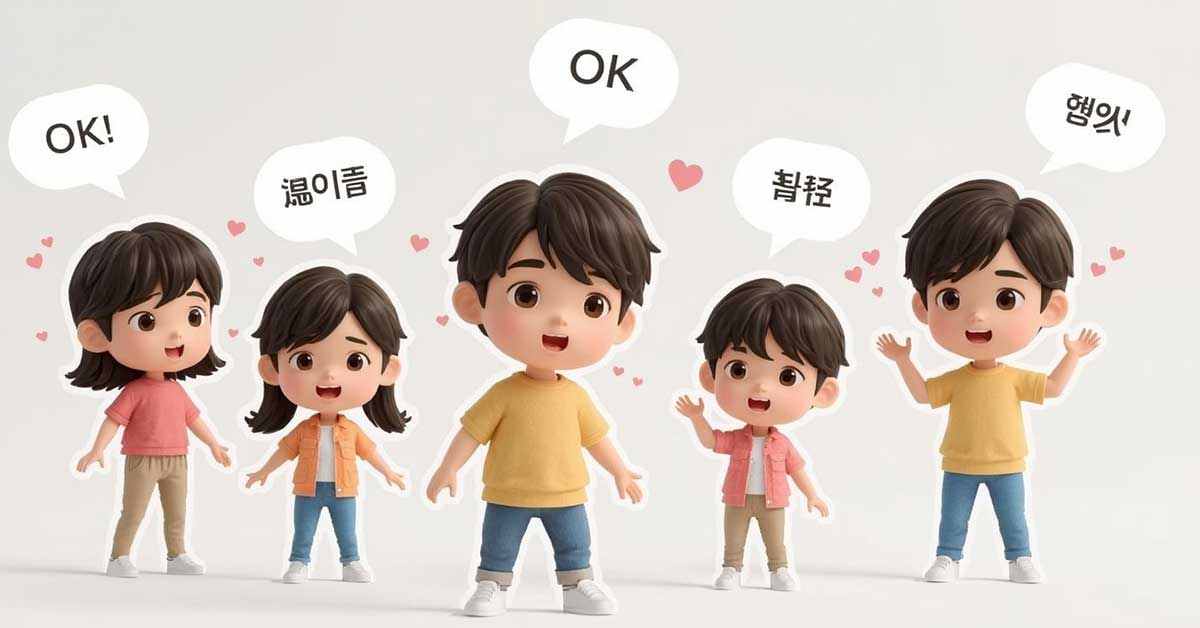
Have you ever wanted to turn yourself into a cute 3D chibi character and create your own WhatsApp sticker pack?
Good news — you don’t need design skills, illustration experience, or complicated software.
All you need is:
- ✅ A clear photo
- ✅ The right AI prompt
- ✅ A few minutes
In this guide, I’ll show you exactly how to create a 3D chibi-style WhatsApp sticker canvas with multiple expressions and poses.
✨ What We’re Creating
We’ll generate:
- A 10:16 vertical canvas
- 9–12 cute 3D chibi stickers
- Same outfit, different poses & expressions
- White sticker outline border
- Speech bubbles with text
- Soft white-to-light-blue gradient background
Perfect for:
- Personal sticker packs
- Team or company branding
- Content creators
- Fun social sharing
Step 1: Prepare a Clear Photo ( You can skip this if you do not want to)
Choose a photo that:
- Is front-facing
- Has good lighting
- Clearly shows hairstyle and clothing
- Has a simple background
- Shows your full outfit (if possible)
💡 Tip: The AI will replicate your clothing, so simple solid-color outfits work best.
Step 2: Use the Right Prompt (This Is Key)
Here’s a ready-to-use prompt template:
Create a 10:16 vertical canvas featuring nine 3D cute chibi-style WhatsApp stickers.
Character design:
Based on the uploaded photo. Keep the same hairstyle, glasses, navy blue T-shirt, and light blue jeans. Transform into a 3D adorable chibi version with a big head and small body proportion.Each sticker:
- White outline border
- Speech bubble above head
- Soft shadow
- Different facial expressions and poses
Text in simplified Chinese:
“replace this text”
“replace this text”
“replace this text”Background:
Soft white to light blue gradient
Cute, clean, bright atmosphere
High resolution, 3D rendering, soft lighting
Step 3: Choose Your Sticker Text Themes
You can customize your sticker pack based on personality or lifestyle.
👨💼 Office Worker Version
- Not going to work
- Boss is calling
- So annoyed
- Leaving work
- I don’t want to do this
🏃 Lifestyle Version
- Going for a run
- Be careful
- Coming!
- Don’t care anymore
- Praying
The key is to:
- Keep tone consistent
- Make expressions exaggerated
- Match pose with text
Step 4: Layout & Design Tips
If you’re creating a full canvas:
- Use a 3×3 or 3×4 grid layout
- Keep equal spacing between stickers
- Maintain consistent white border thickness
- Use bold, rounded text inside speech bubbles
- Keep background clean and soft
💡 Chibi Proportion Tip:
Head-to-body ratio around 1:2 makes it extra cute.
Step 5: Make It Look More Professional
To elevate the quality:
✔ Use soft 3D lighting
✔ Add small effects (sweat drop, anger symbol, hearts, sparkles)
✔ Keep outfit consistent across all stickers
✔ Use soft shadows under each character
✔ Make facial expressions slightly exaggerated
Common Questions
Can I make transparent background stickers?
Yes. Add this to your prompt:
“transparent background, PNG sticker format”
Can I sell these stickers?
Yes — if they’re based on your own image or properly licensed content.
You can sell:
- Custom sticker packs
- Personalized avatar stickers
- Corporate team stickers
- Influencer brand stickers
Conclusion
AI has made it incredibly easy to create:
- Personalized digital stickers
- Brand mascots
- Creator IP characters
- Social messaging packs
With just one photo and a well-written prompt, you can build your own 3D chibi sticker collection in minutes.