


- You can easily create a personalised AI profile card using tools like ChatGPT, perfect for social media or professional networking.
- Start by generating an AI avatar in your preferred style (e.g., caricature, Pixar) using a clear photo and descriptive prompts.
- Transform your avatar into a professional, transparent profile card by providing ChatGPT with specific design details like material, text, and background.
- Customise your profile card with your name, handle, and key roles to make it truly unique and reflective of your personality.
- This guide simplifies the process, allowing anyone to create a stunning digital profile that stands out online.
Ever wanted a cool, personalised digital profile card that truly shows off who you are? Good news! Creating one has become super easy, thanks to clever AI tools like ChatGPT. Whether you fancy a fun caricature, a cute Pixar-style avatar, or a sleek, professional ID card, this guide will walk you through each step.
You’ll learn how to generate your very own profile card that will surely stand out online. It’s perfect for your social media profiles, personal blogs, or even for professional networking on platforms like LinkedIn.
Let’s get started on making your digital presence shine!
Step 1: Create Your AI Avatar – Your Digital Self
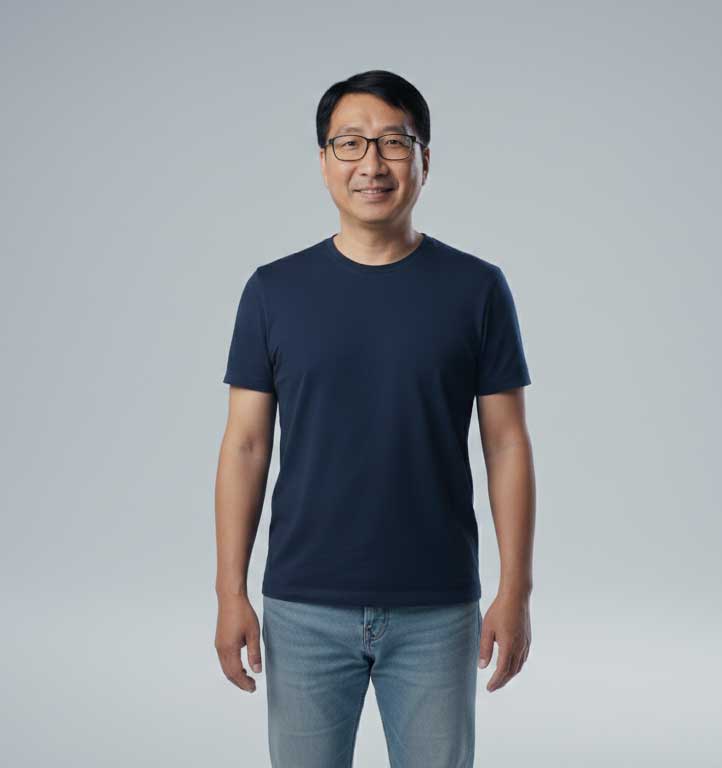
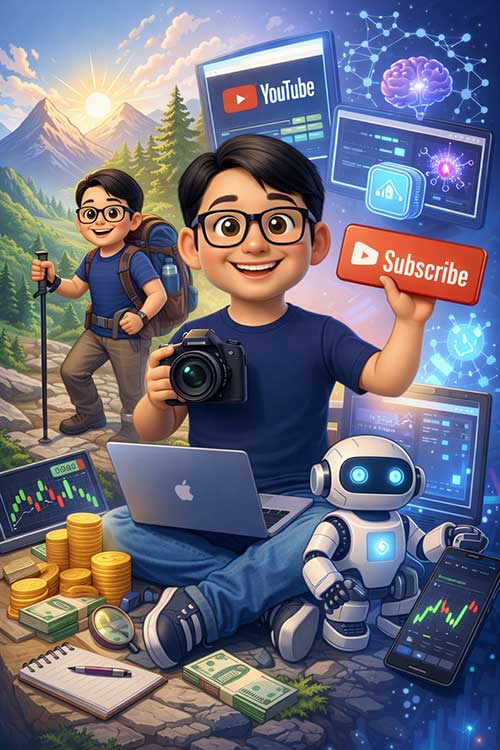
The first and most exciting part is creating an image of yourself. This is your AI avatar! You can choose any style that reflects your personality. Think playful caricatures, charming Pixar-style characters, or something more realistic. ChatGPT makes this a breeze.
Here’s how to do it:
- Pick a Clear Photo: Find a clear photo of yourself. It doesn’t need to be a professional headshot; even a casual, recent photo will do the trick.
- Use a Prompt in ChatGPT: Open ChatGPT and give it a clear instruction. Tell it what kind of image you want.
Try these prompt examples, just replace the details with your own!
- For a Fun Caricature: “Create a caricature of me and my job based on everything you know about me.”
- For a Charming Pixar-Style Avatar: “Create a cute Pixar-style image of me and I am a marketing executive and I enjoy exploring hawker centres for delicious food.” (Tell ChatGPT about your profession and a hobby you love!)
ChatGPT will then use its AI magic to generate an avatar that’s uniquely tailored to you! Feel free to experiment with different styles and descriptions until you get an image you absolutely love.


Step 2: Turn Your Avatar into a Stunning Transparent Profile Card
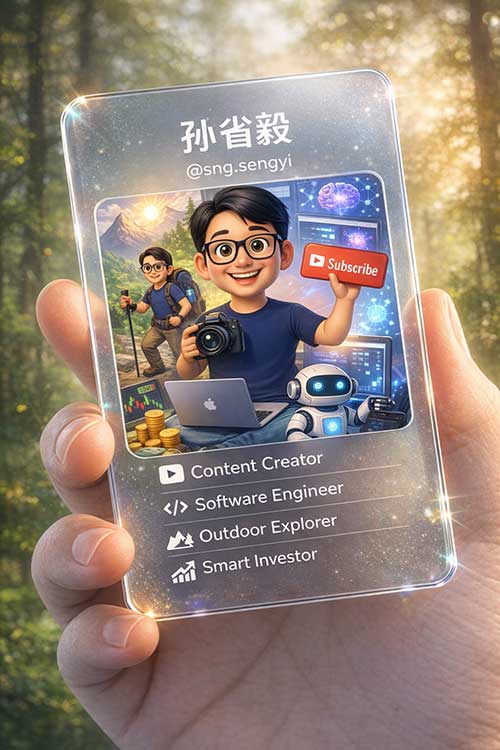
Once you have your fantastic AI avatar, it’s time to place it onto a professional and visually appealing profile card. This step transforms your avatar into a polished digital asset. We’ll aim for a modern, ‘glass ID card’ look.
Here’s the powerful prompt to use for ChatGPT:
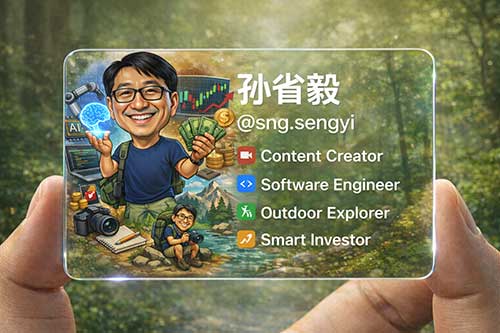
“Based on the image above (referring to your generated avatar), generate a transparent profile card with a refined design resembling a glass ID card. The card should be a rounded rectangle made of frosted glass or transparent acrylic, featuring a soft light refraction effect. The card is gently held between two fingers, with natural and realistic hand details. Display the name [Your Full Name] and the handle [@YourSocialHandle]. Include clear icons and white text indicating the roles: Content Creator, Software Engineer, Outdoor Explorer, Smart Investor. The background should be a soft-focus natural forest setting. Ensure the card content reflects the information shown above.”
Important:
- Replace [Your Full Name] with your actual name (e.g., Jane Tan, Lim Wei). Replace [@YourSocialHandle] with your preferred social media handle (e.g., @JaneCreates, @WeiCodes).
- Customise the Roles: Change Content Creator, Software Engineer, Outdoor Explorer, Smart Investor to roles that truly describe you. For example, ‘Digital Marketer’, ‘Community Volunteer’, ‘Foodie Explorer’, ‘Avid Gamer’. Be specific!
After you give ChatGPT this detailed prompt, it will generate a visually stunning, professional profile card. This card is ready for you to use anywhere online – whether it’s on your website, your social media bios, or even as part of your email signature. It’s a fantastic way to make a memorable first impression in the digital world!
Why a Digital Profile Card?
In today’s digital age, having a unique and professional online presence is more important than ever. A well-designed AI profile card helps you:
- Stand Out: Differentiate yourself from others with a creative and modern look.
- Communicate Your Brand: Quickly convey your personality, skills, and interests.
- Boost Engagement: A visually appealing card can capture attention and encourage people to learn more about you.
- Professionalism: Even with a fun avatar, a polished card design adds a touch of professionalism to your digital identity.
So go ahead, experiment with ChatGPT and create a digital profile card that truly represents the amazing you!